 lucka.ai
Never forget anything. In two clicks.
Lucka is your faithful assistant, always with you.
- It transcribes business meetings, interviews or team meetings – in Czech, telling the speakers apart.
- Recordings stay in your company: Lucka runs on your server or in your cloud.
- You teach it your company jargon – names of companies, machines and products.
- Easily connect it to your AI assistant or other apps.
The app is live – tap around
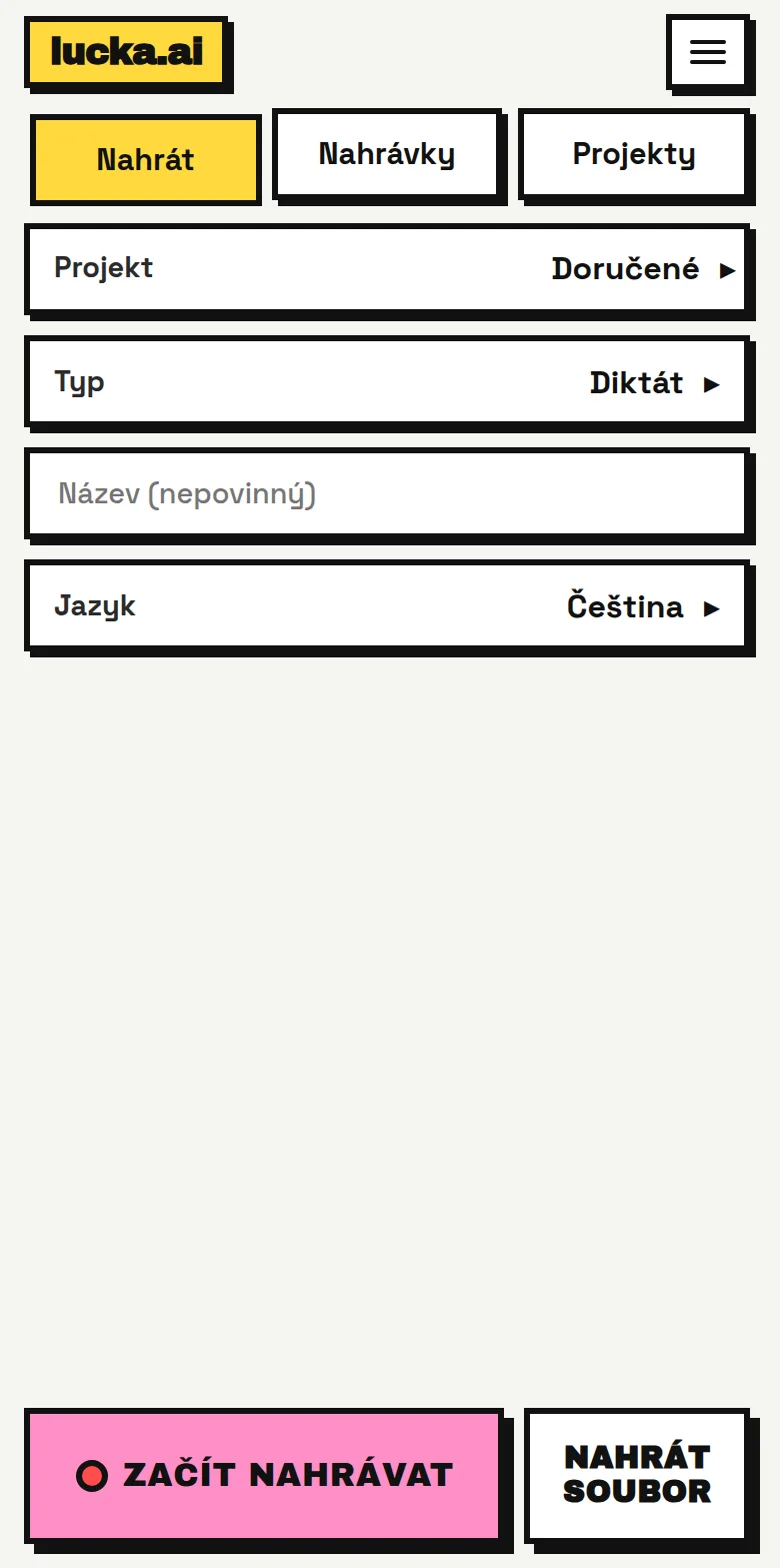
Preparing the app demo…
A demo with invented data. It records no audio and uses no microphone or cookies.
Want to try how it feels to work with Lucka? Write to us and we'll prepare a demo for you.
What Lucka can do
Mobile app
Lucka is always at hand: record on your phone on the road, in a meeting or at the customer's, with two taps. You then read the finished transcript right in the app.
Example: after a meeting at a customer's, you open the app in the car, tap, and record a summary of what you agreed.
Voice transcription
Record a call or a meeting with your phone, or upload a finished file. Lucka transcribes it in Czech – on your server or in your cloud.
Example: you record a call with a client on the way back from the meeting and read it as text in the evening.
AI correction of the transcript
After transcribing, Lucka fixes mistakes: typos, misheard names and technical terms. Every correction is marked in the text and one tap undoes it. The original, untouched version is always available.
Example: “Maria z chytré bedny” becomes “Marie z Chytré Bedny” – and you can undo it at any time.
Telling speakers apart
Lucka recognises who said what and splits the transcript by speaker. You rename the speakers in the app, for example from “Speaker 1” to “Marie”. Useful for meetings, interviews and calls with clients.
Example: in an interview you get your questions and the candidate's answers separately.
Watches your recording
If the microphone hears nothing, the voice is too weak against the noise, or headphones disconnect, Lucka alerts you at once with a vibration and a beep. It never stops the recording.
Example: phone left in your pocket? Lucka buzzes before the meeting ends.
Glossary
You teach it your company jargon: names of companies, machines and products. You enter them in the glossary and Lucka takes them into account when transcribing.
Example: the name of a machine or a company appears in the transcript the way you have it in the glossary.
Projects
Sort recordings into projects; each project can have its own language and glossary.
Example: one project per customer, another for internal meetings.
Web interface
Use Lucka in the browser on your computer too: upload a file or record directly, browse and edit transcripts, manage projects and the glossary.
Example: you record a meeting with your phone and in the evening go through it and edit it in the browser on your computer.
Connect Lucka to your digital world
AI assistant
You can connect Lucka to Claude and other assistants that support MCP. The assistant reads the transcript and writes meeting minutes, a summary or an e-mail from it.
Note: the text the assistant reads is sent to its provider and falls under its terms. The audio stays with you.
API for your systems
Through the API you can connect Lucka to your own systems – for example so that transcripts arrive in Slack or Teams, or are stored with the client in your CRM. We're happy to help you connect it.
How to run Lucka
The same app, three places it can run. Pick by how much of your data you want to keep to yourself.
No commitment: start in the cloud and move to your own server when you want. The same app, the same data.
Lucka on your server
Everything stays in your firm. A one-off investment, the highest privacy.
- Privacyhighest
- Upfront investmenthigher
- Monthly costlow
On a powerful computer or an ordinary one (then slower). You can also have the text corrected by the AI you already use.
Lucka in your cloud
Your own private server in an EU data centre or in your own cloud account. We run it for you. You pay monthly.
- Privacyhigh
- Upfront investmentnone
- Monthly costhigher
No investment up front; your data stays with you and the hosting provider only.
Lucka in the public cloud
A shared service. Start today and pay for what you use.
- Privacymedium
- Upfront investmentnone
- Monthly costby usage
The fastest start, nothing to install. Privacy is lower than with the other two options.